Ad-tracking vendors don’t serve ads like ad networks do—but rather aggregate and synchronize attribution metrics from a wide variety of ad networks. Like Localytics, an ad-tracking vendor will require you to install their SDK so that they can monitor when the app is first opened by a user.
When this happens, the vendor is able to identify the originating source and campaign for the device. They can then communicate this information to Localytics to give you a better picture of your user lifecycle.
In this topic:
How the integration works
Localytics and your ad-tracking vendor will have a server-to-server integration. Ad-tracking vendors "relay" per-device attribution information from ad networks to Localytics.
Here’s how that usually works:
- Ad-tracking vendors monitor devices that click URLs and compare against installs (app launches) to identify each device’s originating source and campaign.
- When the ad-tracking vendor observes a device first launching the app, they’ll then communicate the device ID to Localytics. They’ll also send along the originating source and campaign.
- Localytics can then attribute the device ID to the acquisition source and campaign sent over by the ad-tracking vendor.
Setting up an ad-tracking vendor
Most of the ad-tracking vendor integrations with Localytics have been built as simple server-to-server integrations and are quick and easy to set up. This means you just need to enter valid identifiers within the Localytics dashboard (and your ad-tracking vendor’s dashboard) to ensure the data can pass back and forth.
- Go to Marketing in the left pane and select Attribution.
- Check the app selection in the upper-left corner. If it does not match the app you're looking to integrate, select the app name and select the correct app from the drop-down list.
- Select Attribution Settings.
-
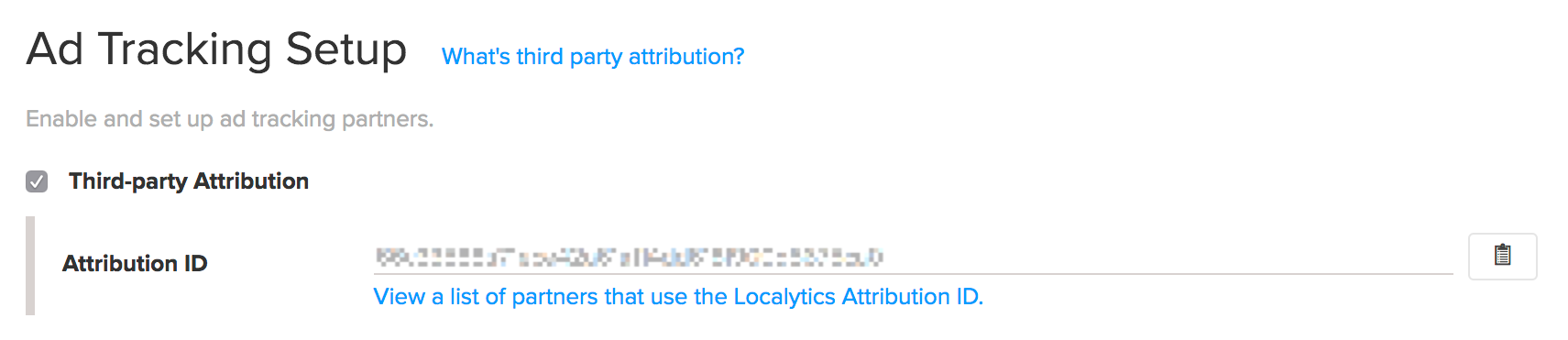
In the Ad Tracking Setup section, select the Third-party Attribution check box. This will reveal your Localytics Attribution ID.
-
Select the Copy to Clipboard icon on the right.
- Next, navigate to your ad-tracking vendor's configuration dashboard.
-
Set up the partner to postback app installs to Localytics. This will vary from vendor to vendor. Here is a list of some popular partners:
- Adjust - For more information, see "Integrating Localytics" on the adjust docs website.
- Appsflyer - For more information, see "Integrated partners setup guide" on the AppsFlyer website.
- Kochava - For more information, see "Create a Kochava-Certified Postback" in the Campaign and Postback Configurations section of the Kochava Support website.
- Tapstream - For more information, see "Integrating with Localytics" in the Third-party integrations section of the Tapstream documentation website.
- Once configured, you can execute your acquisition campaigns through your ad-tracking partner's system. That vendor will communicate to Localytics whenever users are acquired.
For more information, see Attribution report.